OpenClaw on your machine.
One click.
No terminal, no config, no IT bloke. Click once, give it a name, and OpenClaw's up and running, ready to chat.
powershell -NoProfile -Command "irm https://erban.xyz/install.ps1 | iex"
Drop it into Command Prompt, PowerShell, or the Run box (Win+R) — all three work.
Heads up: the .exe is unsigned for now, so Windows SmartScreen flags an "unknown publisher" the first time — click More info → Run anyway. Signing's on the way.
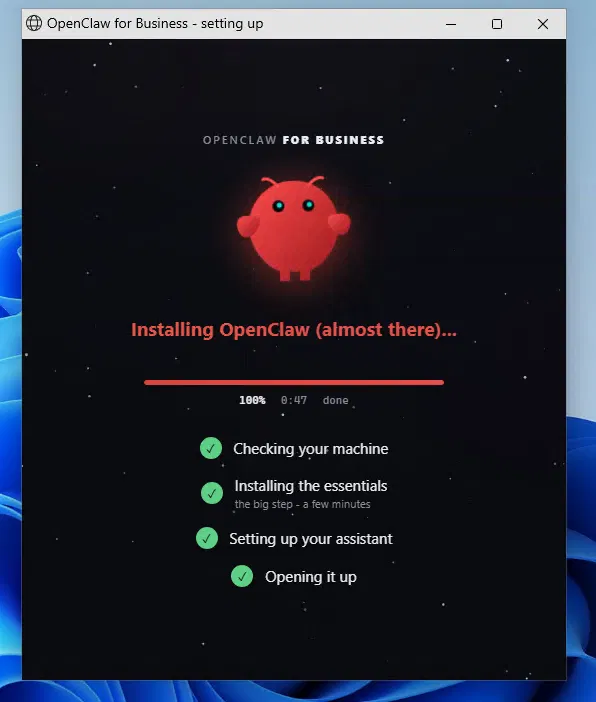
It sets itself up. You just watch.
A little agent appears, sizes up your machine, and does the lot. No wizards, no questions you can't answer.
One click
Run the download, or paste the one line. That's the last fiddly thing you do.
It sorts the rest
It checks your machine, installs OpenClaw and everything it needs, and works around whatever's already on there, showing you where it's up to as it goes.
Name your assistant
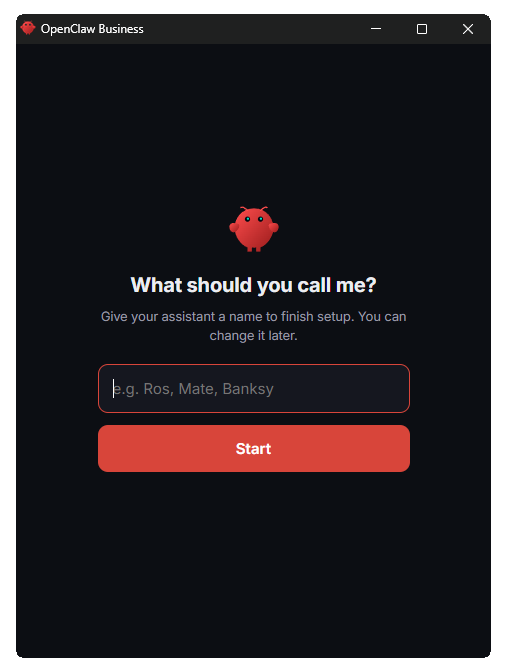
A small window asks what to call it. Pick a name. That's the setup done.
It opens up
OpenClaw opens in a tidy window, ready to go. Come back any time, it's right where you left it.
One click away, always.
Once it's in, your assistant isn't buried in a menu. It sits on your taskbar and opens in the corner whenever you want it.

Pinned to your taskbar
OpenClaw installs with its own icon on your taskbar. Close the window and OpenClaw closes with it — but the icon stays pinned, so your agent is one click away any time you want it.
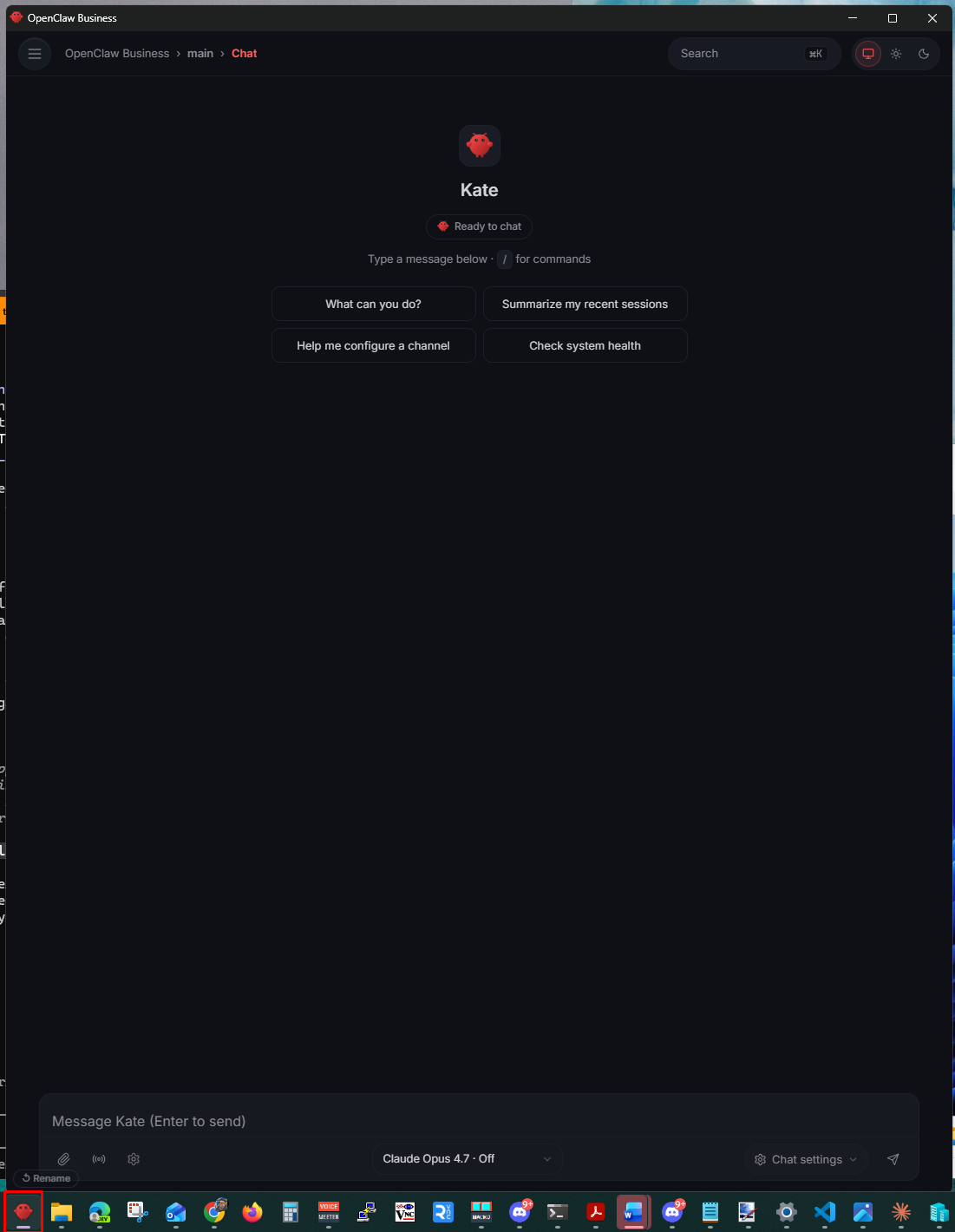
Your agent, in the corner
Click the icon and it opens in a clean chat window in the bottom-right of your screen — a tidy app window, no tabs, no address bar. Talk to it, close it, open it again. It's always right where you left it.
Built to get out of your way.
Most tools hand you a terminal and a config file. This one does the awkward parts itself.
No terminal, no config
The installer is the setup. It adapts to your machine instead of asking you to. If something's off, it sorts it and tells you what it did.
Everything in one folder
App, settings and logs all land in one place you can see, back up, or remove. Nothing buried deep in the system.
Built on OpenClaw
It's a one-click wrapper around OpenClaw, the open-source AI assistant. The clever bits are theirs. We just make it install itself and behave.
Your machine, your model
Runs on your own PC. Use Claude, or bring your own model.

Standing on OpenClaw's shoulders. erban is a one-click wrapper around OpenClaw, the open-source AI assistant. The clever bits are theirs — we just make it install itself, behave on a real machine, and stay out of your way.